
Best Scheduling Software for Small Business: Test It Against Your Busiest Day
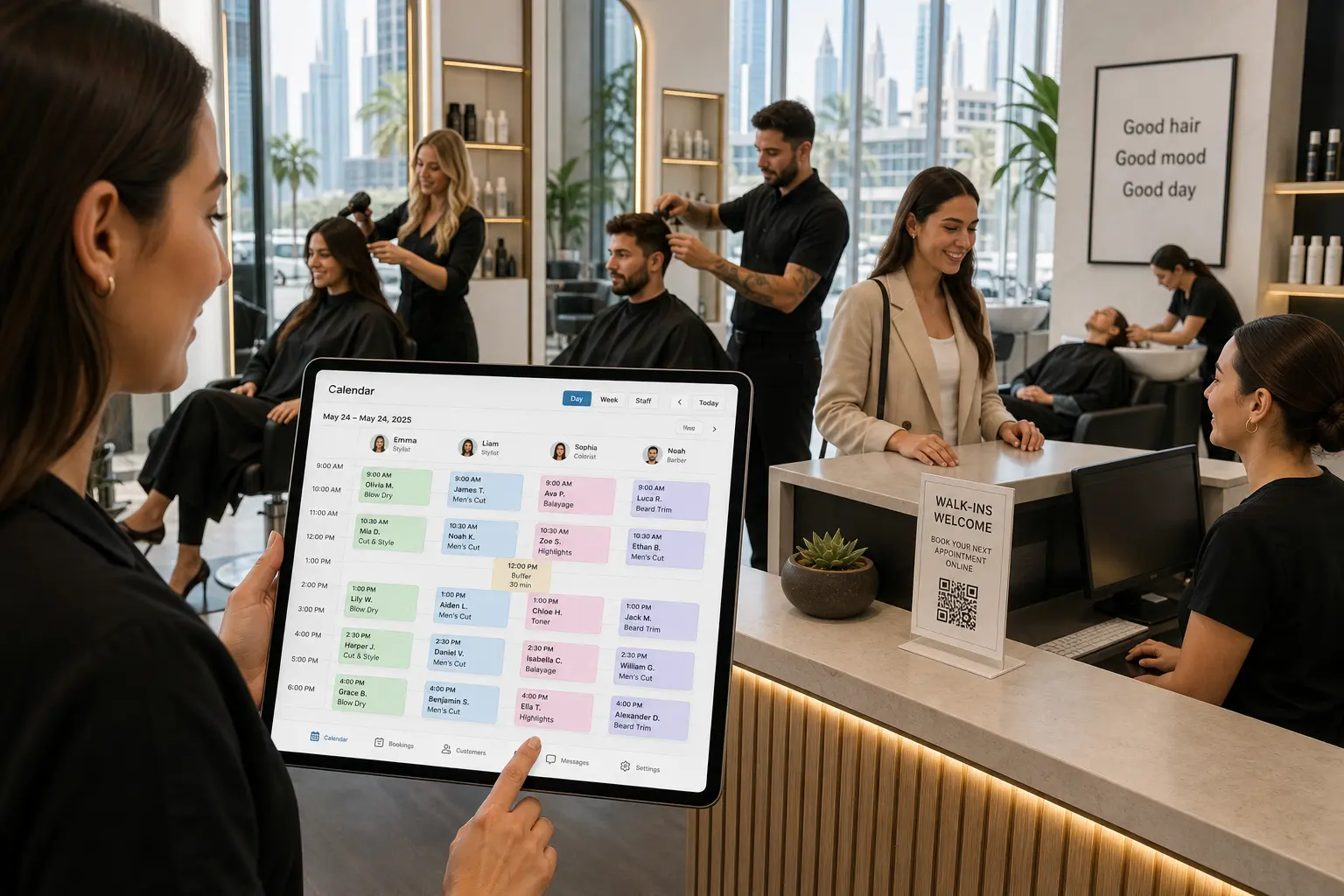
Why the 'best' scheduling software for small business depends on your busiest day
There is no single best scheduling software for small business globally. The real question is simpler: which tool still works on your busiest day? I've watched booking tools look polished on a quiet Tuesday and then fall apart on a Saturday when three stylists, two rooms, and one wash station are all moving at once. This article is a stress test, not a feature comparison. You run the test against your own worst day, then decide. A free plan with no monthly fee and no credit card makes that test easy to run before you commit.
If you run a small service business, the first question you should ask any tool is whether it treats your resources as real things. If it only sees time slots, you know it will not survive the weekend. A salon is not just appointments; it is chairs, dryers, staff, and a wash station. A cleaning company is a crew, a vehicle, and a carpet machine. A yacht charter is a boat, a captain, and a jet ski add-on. The best tool for a cleaning crew of two is different from one for a single coach. So we will test real resources, back-to-back buffers, native online booking, and AI enabled booking. This is the exact framework you can use.
Test 1: Can it schedule your real resources?
Most booking tools start with a calendar of time slots. That works until a client books a stylist who is already booked on a different service. A small business needs the software to schedule actual resources, not just open times. Reservai handles six resource types out of the box: Staff, Equipment, Vehicle, Room, Facility, and Asset.
Know your resource types
For a salon, Staff includes stylists and assistants. Equipment includes hair dryers or a specific pedicure station. A cleaning crew of two might track Staff and Equipment like carpet machines. A yacht charter operator needs Vehicle, the yacht itself, plus Staff for the captain and crew, and maybe a Facility for the meeting point. If you rent skis, those are Equipment. A Room could be a private treatment room. A Facility could be a hall or court. An Asset could be a camera kit. This list matters because double-booking a resource causes chaos on a busy day.
Operational vs hub resources
Then check how the system treats capacity. Operational resources are locked exclusively for each booking. A specific stylist cannot be in two chairs at once. A specific yacht cannot run two charters at the same time. Hub resources share capacity up to a set limit, like a class that holds 12 people or boat seats. The best scheduling software for small business lets you choose both.
Finally, open two browser windows and try to book the same staff member or the same vehicle at overlapping times. The scheduler should block the second booking automatically. If it doesn't, you'll be fixing mistakes manually. For rentals, confirm that each piece of equipment or vehicle has its own schedule and capacity, because a rental operator with four jet skis has four resources, not one list.
Test 2: Does it survive back-to-back bookings?
Your busiest day isn't a string of gentle one-hour appointments with gaps. It's back-to-back bookings, last-minute add-ons, and a client showing up early while you're still resetting the room. A scheduling tool has to hold up under that load. Three specific features make the difference.
Buffers
Buffers append cleanup or travel time after a booking so the next slot doesn't overlap. A cleaning crew of two finishing a three-bedroom clean at 2:00 PM cannot be at the next job at 2:00 PM. They need 30 minutes to pack equipment and drive. A buffer of 30 minutes after each clean keeps the calendar honest. A nail salon might need 10 minutes to sanitize a station. Without buffers, your schedule looks full but actually runs late all day.
Resource pools
Resource pools let the system pick any available interchangeable staff member or vehicle. If a client books a haircut but doesn't care which stylist, the pool of available stylists handles it. If a rental customer needs any kayak, the pool assigns one that is actually free. This prevents a single named resource from becoming a bottleneck while identical resources sit idle.
Hub resources
Some resources serve many bookings at once. A yoga class has one room and multiple students. A boat tour has one vessel and twenty seats. Parking uses shared capacity. Hub resources let you set a capacity limit, and the system counts how many bookings are already in that slot. No overselling.
Simulate your busiest day with back-to-back appointments, buffers, and a mix of operational and hub resources. If the calendar still makes sense at 8:00 PM, the tool passed.
Test 3: Is online booking native — and is AI enabled booking built in?
In this area, online booking should be native to the system, not a separate page that asks customers to re-enter everything. And AI enabled booking should be built into the same flow, not a bolted-on chatbot that gives vague answers.
Native online booking
A good booking wizard guides the customer through branch, resource, add-ons, date and time, personal info, cart, and payment without sending them elsewhere. For a salon, that means someone picks a specific branch, selects any available stylist, adds a hair mask, chooses 4:00 PM, enters their phone number, and pays a deposit. If the flow breaks, customers call or book on WhatsApp instead.
Check for an embeddable widget. Single-service widgets put one service on your own site. All-services widgets expose your entire booking portal. An AI chat widget lets customers book through conversation on your website. If the widget requires the customer to leave your domain, that's a warning sign.
Also look for OTP-verified guest booking. A guest with no account should be able to book and manage the booking with a one-time code. That cuts fake bookings and no-shows because the contact is verified without forcing account creation.
AI enabled booking
AI enabled booking means more than a chatbot that says 'check our calendar.' It should check real-time availability, quote the exact price with add-ons, add those add-ons, and take payment in the conversation. Imagine a customer messaging 'I need a 4-hour yacht charter for 6 people next Friday, with a jet ski.' The assistant should find a boat, assign crew, add the jet ski, apply per-guest pricing, hold the slot, and collect payment.
In Reservai, the AI booking assistant is an optional paid add-on, so you only pay when you want it. That matters because not every small business needs AI on day one, and you should not have to pay for it hidden inside a higher plan.
Test 4: Can you try it free without a credit card — and leave if it's not right?
Before you commit, run the whole test for free. A tool that asks for your credit card before you can add a second branch isn't letting you test your busiest day honestly.
Free to test
Reservai's free plan has no monthly fee and no credit card requirement. You can add branches, staff, and services, then simulate a Saturday. If it doesn't fit, you leave without chasing a cancellation.
Transparent pricing
Look for pricing tied to bookings that actually get paid. A flat monthly subscription hurts in slow months. A fee charged only when a booking is actually paid, and only on paid amounts, keeps the software aligned with your revenue. You don't pay for no-shows that never paid.
Fast setup and built-in payments
Setup time matters. A guided setup wizard with eight steps should get you live in 15 to 30 minutes. If you need two weeks of configuration calls, you're not testing software; you're adopting a project. Payments should be built in too. Cards, cash on delivery mean you can take a deposit at checkout without opening a separate gateway account. Provider-owned gateways like Stripe or PayPal are there if you need them, but you don't need one to start.
No lock-in
Make sure you can upgrade or downgrade anytime, and verify there's no per-seat fee for adding staff. If adding a receptionist doubles your monthly bill, that's a cost surprise waiting for your busiest day.
Your busiest-day checklist (and where to start)
After running these tests on a few tools, your shortlist gets very small. Here's the checklist I keep on my desk:
- Real resources: Staff, Equipment, Vehicle, Room, Facility, and Asset have their own schedules.
- Operational resources locked exclusively; hub resources shared up to capacity.
- Buffers after bookings for cleanup, travel, or reset.
- Resource pools pick any available interchangeable staff or vehicle.
- Native online booking with branch, resource, add-ons, date, and payment in one wizard.
- Embeddable widget for single services, all services, or AI chat.
- OTP-verified guest booking for no-account customers.
- AI enabled booking that checks availability, quotes exact price, adds add-ons, and collects payment.
- Free plan with no monthly fee and no credit card.
- Commission only when a booking is actually paid.
- Setup in 15 to 30 minutes.
- No lock-in: upgrade, downgrade, and add staff without surprise fees.
The best scheduling software for small business globally is not the one with the longest feature page. It's the one that handles your worst day without extra work. You know your worst day. Test against it.
Frequently asked questions about scheduling software for small business
These are the questions I hear most often from owners who are comparing tools.
What is the best scheduling software for small business globally?
There is no universal answer. The best tool is the one that survives your busiest day. Test whether it can schedule real resources like staff, equipment, vehicles, rooms, facilities, and assets, handle back-to-back buffers and resource pools, and include native online booking and AI enabled booking. Run the test on a free plan before you commit.
Is there free scheduling software for small businesses without a credit card?
Yes. Look for a free plan with no monthly fee and no credit card required. That lets you add branches, services, and resources, then simulate a full day. You only move to a paid plan if the tool fits. Avoid tools that hide their real resource scheduling behind a trial paywall.
Can scheduling software handle staff, equipment, and rooms at the same time?
Some can. The key is whether each resource has its own schedule and capacity. Operational resources lock exclusively per booking, and hub resources share capacity up to a limit. Ask for a live demo with your actual setup: book a stylist, a dryer, and a treatment room for the same hour and see if anything double-books.
How does AI enabled booking work for small businesses?
AI enabled booking should be more than a chatbot. It checks real-time availability, quotes the exact price with add-ons, adds those add-ons to the booking, and handles payment in conversation. In Reservai, the AI booking assistant is an optional add-on, so you only turn it on when you need it. It can book, amend, and cancel through chat on the booking page or an embedded widget.