
WordPress plugin
The WordPress Booking Plugin Your Customers Can Just Ask
A visitor types "can I get a personal training session next Friday at 10?" and walks away with a priced, confirmed booking. The same engine also renders as an ordinary booking widget, for everyone who would rather click.
Free plugin. No licence, no monthly fee, no cap on bookings.

What It Costs
Every other WordPress booking plugin sells you a licence for $49–$299 a year before you take a single booking. We do not sell a licence at all.
The plugin
Free
No licence key, no per-site fee, no renewal. Use it on as many sites as you own.
Your Reservai account
$0 / month to start
No limit on how many bookings you take. Starter covers one location, five services and three staff.
When a booking completes
3% + $0.26
That is it. A quiet month costs you nothing, because we only earn when you do.
The AI booking assistant is an optional paid add-on. Every other feature on this page works without it.
Live In About A Minute
STEP 1
Install the plugin
Search for Reservai in Plugins → Add New, or upload the ZIP. Activate it.
STEP 2
Paste one API key
Create a key in your Reservai account, paste it, click Connect. Your domain registers itself for embedding.
STEP 3
Drop in a block
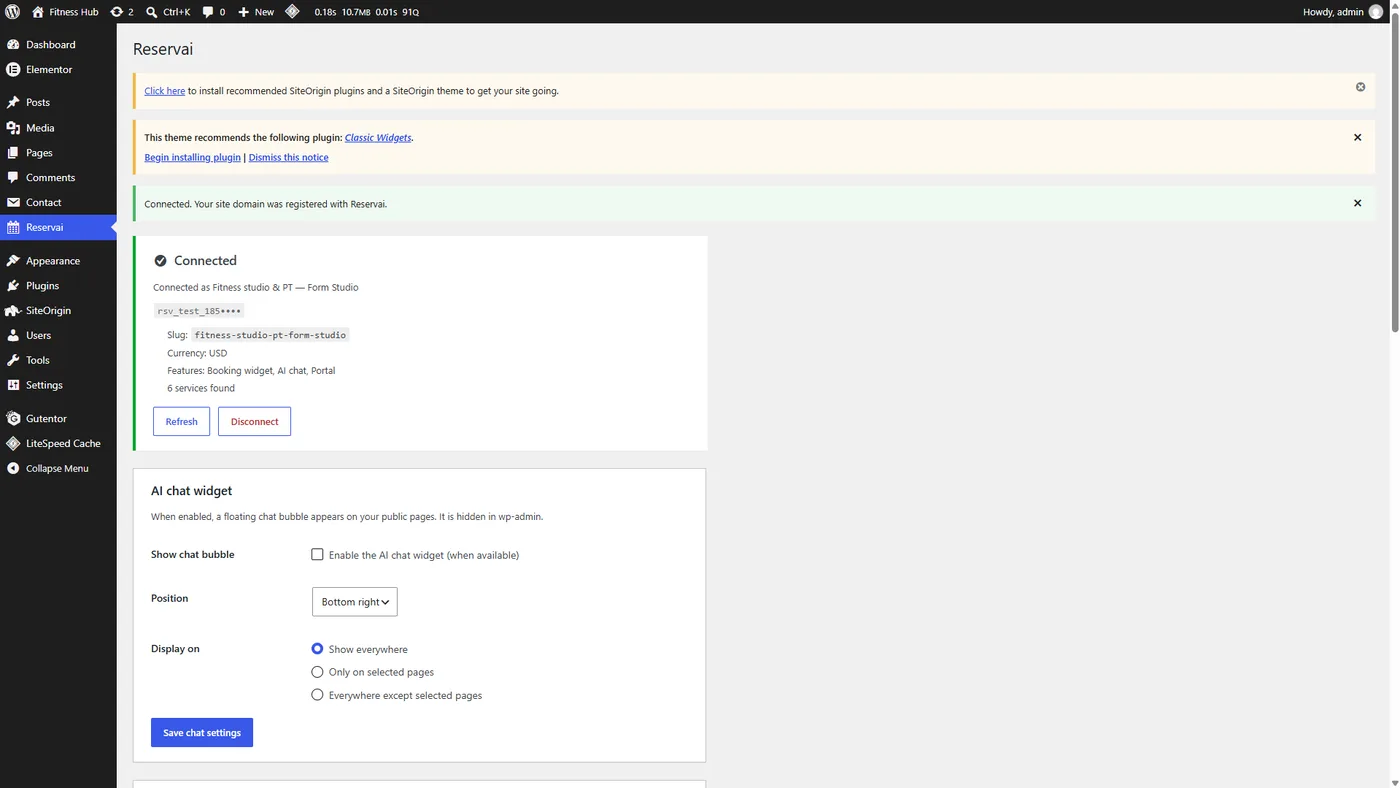
Add a Reservai block to any page, or paste a shortcode. Turn on the AI chat bubble with a checkbox.
The AI booking assistant
It Books. It Also Changes Bookings.
Not a lead-capture bot that hands off to a human. The assistant runs the whole booking, takes the payment, and hands back a reference number.
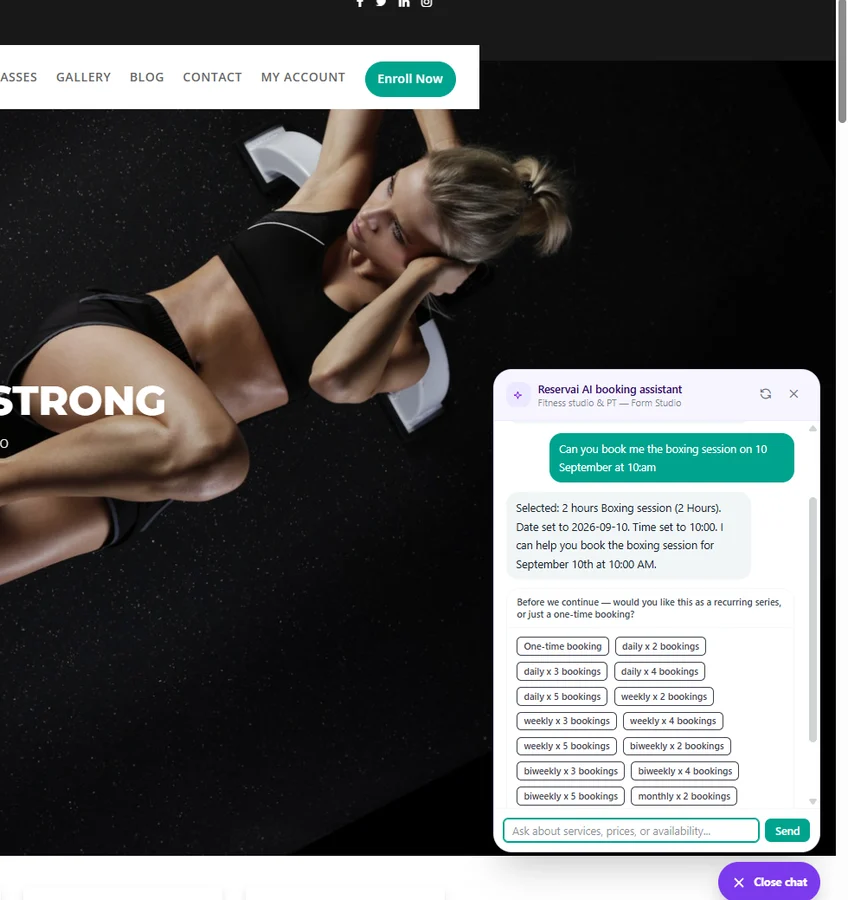
From a sentence to a confirmed booking
The assistant works out the service, the date and the time, then checks your real availability before it offers anything.
- Describes services and answers questions about them
- Picks the branch, and the resource or staff member
- Sets party size for classes, and rental days for multi-day hires
- Adds priced add-ons, including required option groups
- Sets up a recurring series — daily, weekly, biweekly or monthly
- Verifies the customer, takes payment, and confirms
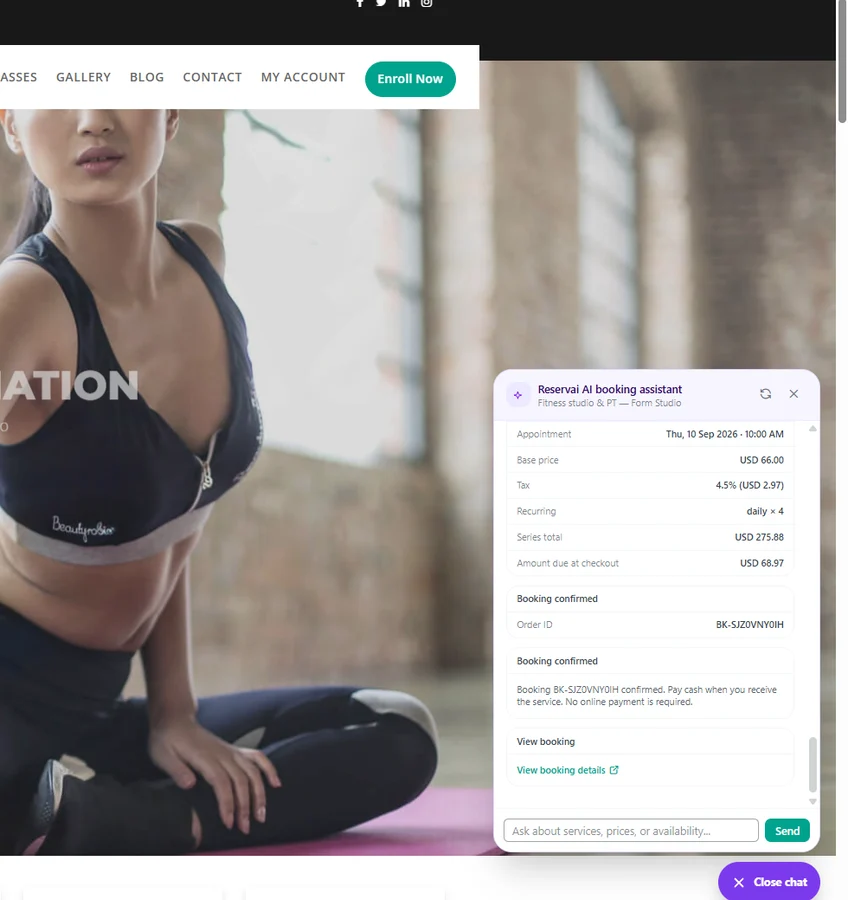
A real booking, not an enquiry
It comes back priced, taxed, confirmed and referenced — a recurring series included, with the series total and the amount due at checkout both spelled out. It is in your calendar before the customer closes the tab.
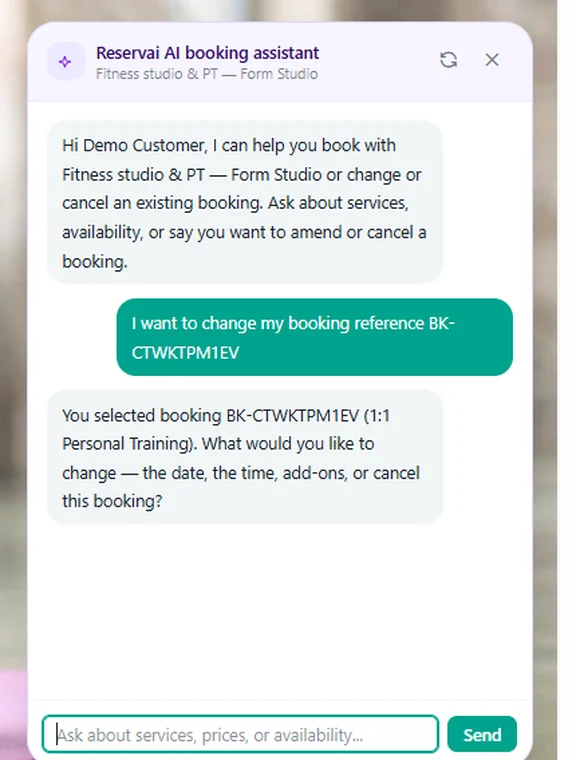
And they come back to change it themselves
Move the time, add a rental day, add an add-on, or cancel — in the same chat. On a recurring series it asks whether you mean this one occurrence or the whole series, then settles the difference.
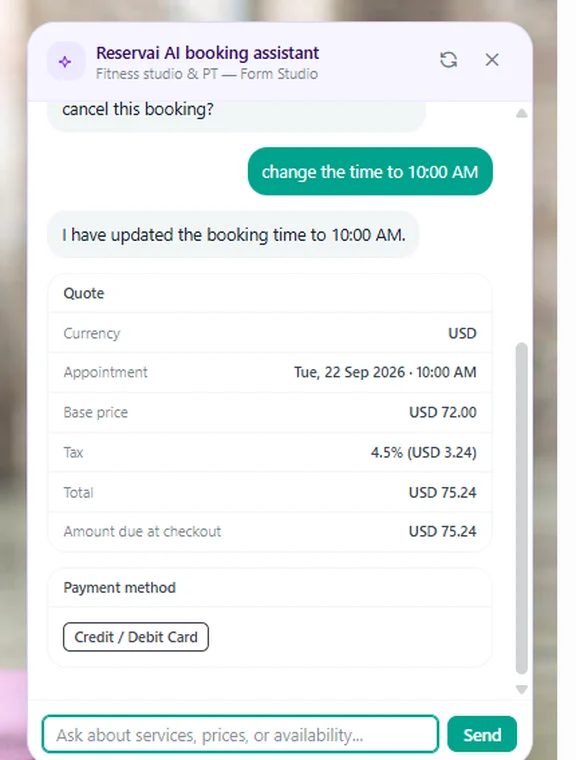
One thing to be straight about: the AI booking assistant is an optional paid add-on, billed monthly with an included token allowance. You never need your own OpenAI or Gemini account and you never hold an AI API key — it is managed, on the same statement as the rest of your billing. Everything else on this page works without it.
One Engine, Two Front Doors
Chat and widget are not two systems bolted together. They are two entrances to the same booking engine, so there is no second set of rules to configure and nothing to keep in sync.
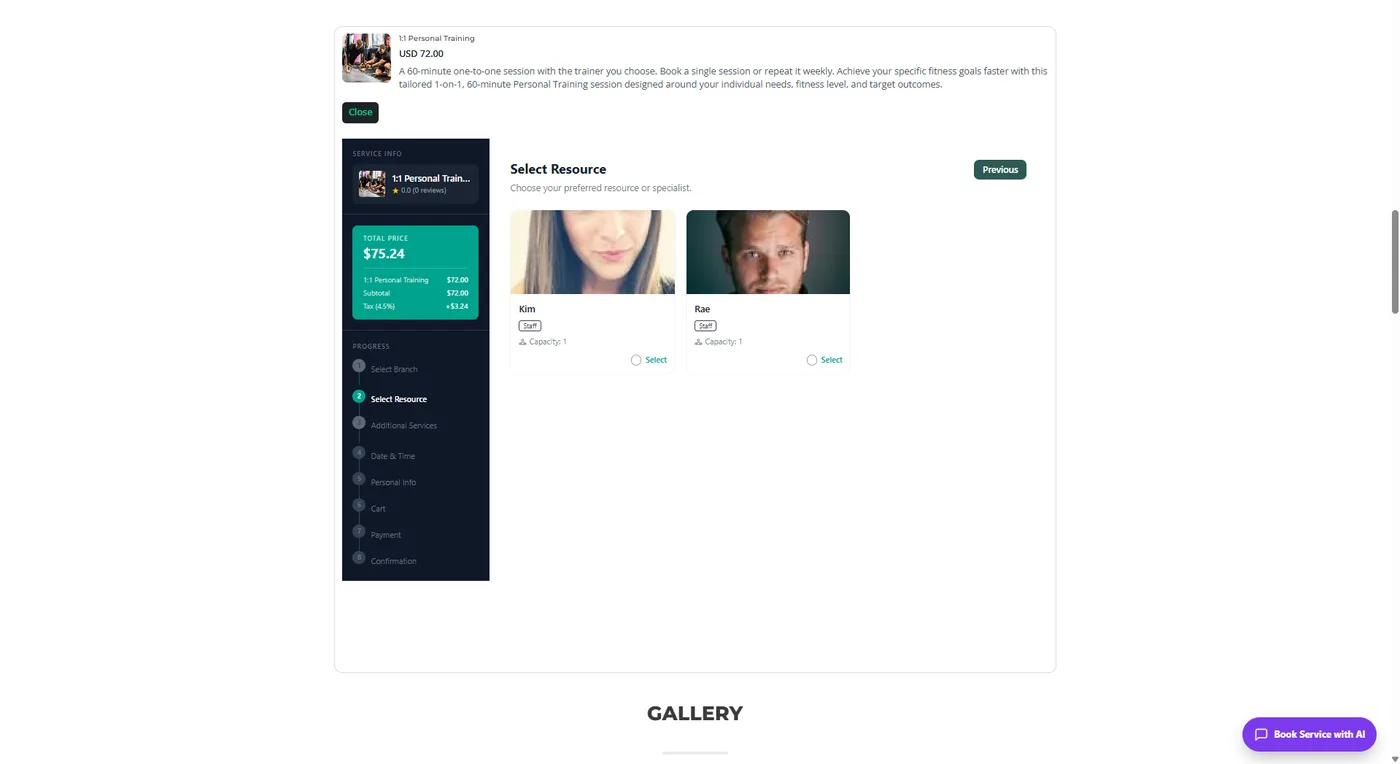
For everyone who would rather click
The widget walks through branch, resource, add-ons, date and time, details, payment and confirmation, with a running price panel. A booking made here is subject to exactly the same availability, deposits, buffers and cancellation policy as one made by chat — because it is the same engine.
Scheduling That Fits How You Actually Work
Most booking plugins model "a staff member with working hours". Real businesses have rooms, courts, vehicles, machines and people, and a booking often needs several of them free at once.
Every asset is bookable
Rooms, courts, vehicles, devices, chairs and instructors each get their own schedule. A service can require a practitioner and a room and a machine, all free at the same time, or no slot is offered.
Pools
Set a pool and the engine assigns "any free one of these five". Your customer picks a time, not a court number, and your utilisation goes up on its own.
Three kinds of capacity
Exclusive locks the whole window — a treatment room, a charter, a one-to-one. Shared session sells seats in the same window — a class, a boat trip. Rolling shares instantaneous capacity — parking, rolling gym entry.
Multi-day rentals
Price by the day, and enforce a turnaround gap between hires so kit comes back, gets cleaned and goes out again without a clash.
Groups and recurring series
Cap the party size on a class, and let regulars hold a standing weekly slot, paid per occurrence or in full upfront.
Branches, staff and buffers
Per-branch availability, staff accounts with role-based permissions, and a buffer after each booking so nobody is double-booked into a cleanup window.
Deposits, Cancellations And No-Shows
Set the policy once per service. The engine applies it on chat and widget alike, and settles the money without you chasing anyone.
Worked example
A $72 personal training session. You require a 20% deposit and set a 24-hour free-cancel window. Cancel earlier and the customer is refunded in full. Cancel later and they keep 50% back, with the deposit non-refundable. Do not turn up at all and you retain the no-show percentage you set.
All of it is configured with plain fields — deposit type and value, free-cancel window, separate refund percentages for the deposit and for the total before and after the deadline, and a no-show retention percentage. The policy text you write is shown to the customer before they commit.
It Runs Off Your Site, So It Cannot Break With It
No booking tables
Nothing is written into your WordPress database except your connection settings. No booking queries slowing your pages down.
Reminders that actually send
Reminders, confirmations, auto-confirm and no-show handling run on our servers, not on wp-cron. A quiet week on your site does not mean missed reminders.
No gateway to wire up
You connect your own Stripe account once, in Reservai. No card data ever touches your server, and there is nothing extra on your site to keep patched.
Four notification channels
Email, SMS, WhatsApp and in-app, from templates you can edit — for the customer and for your staff.
Blocks And Shortcodes
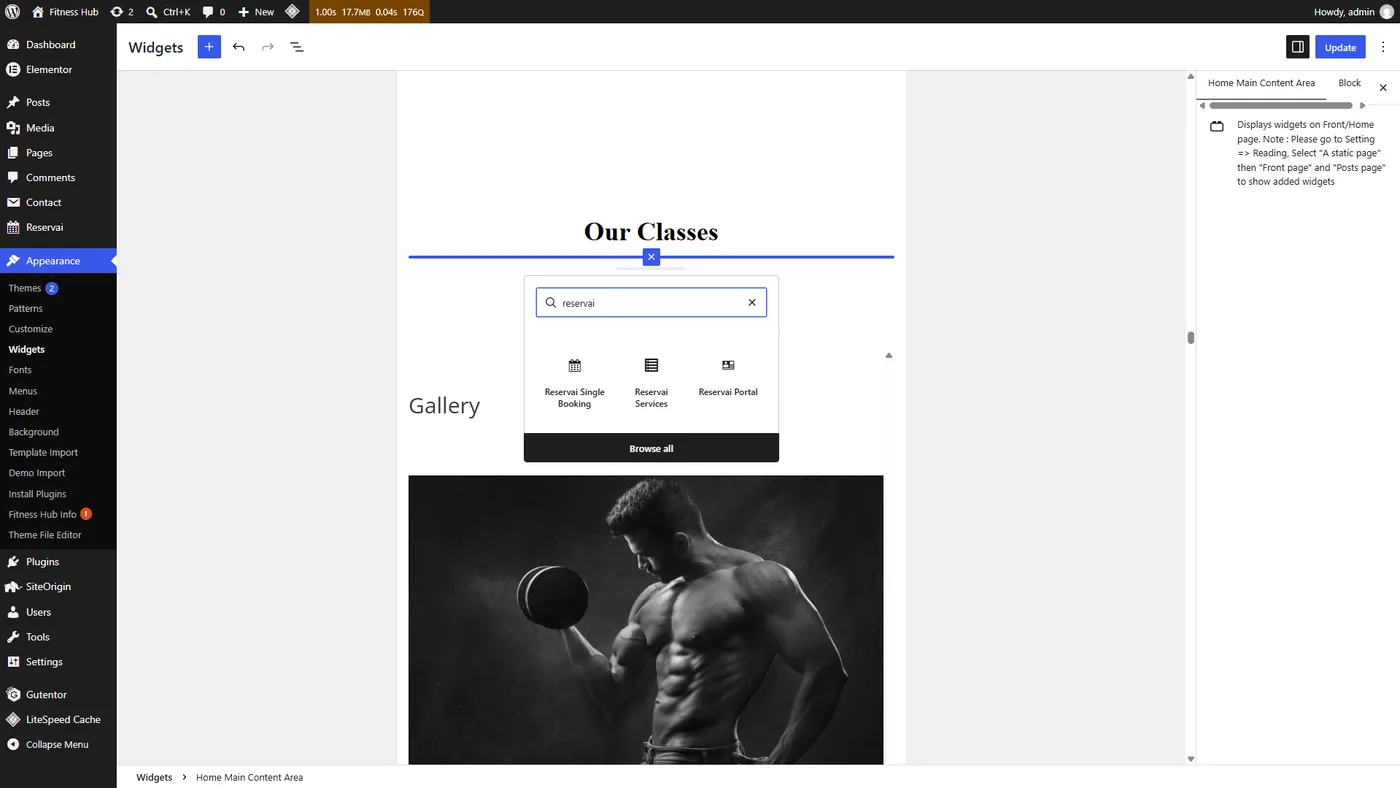
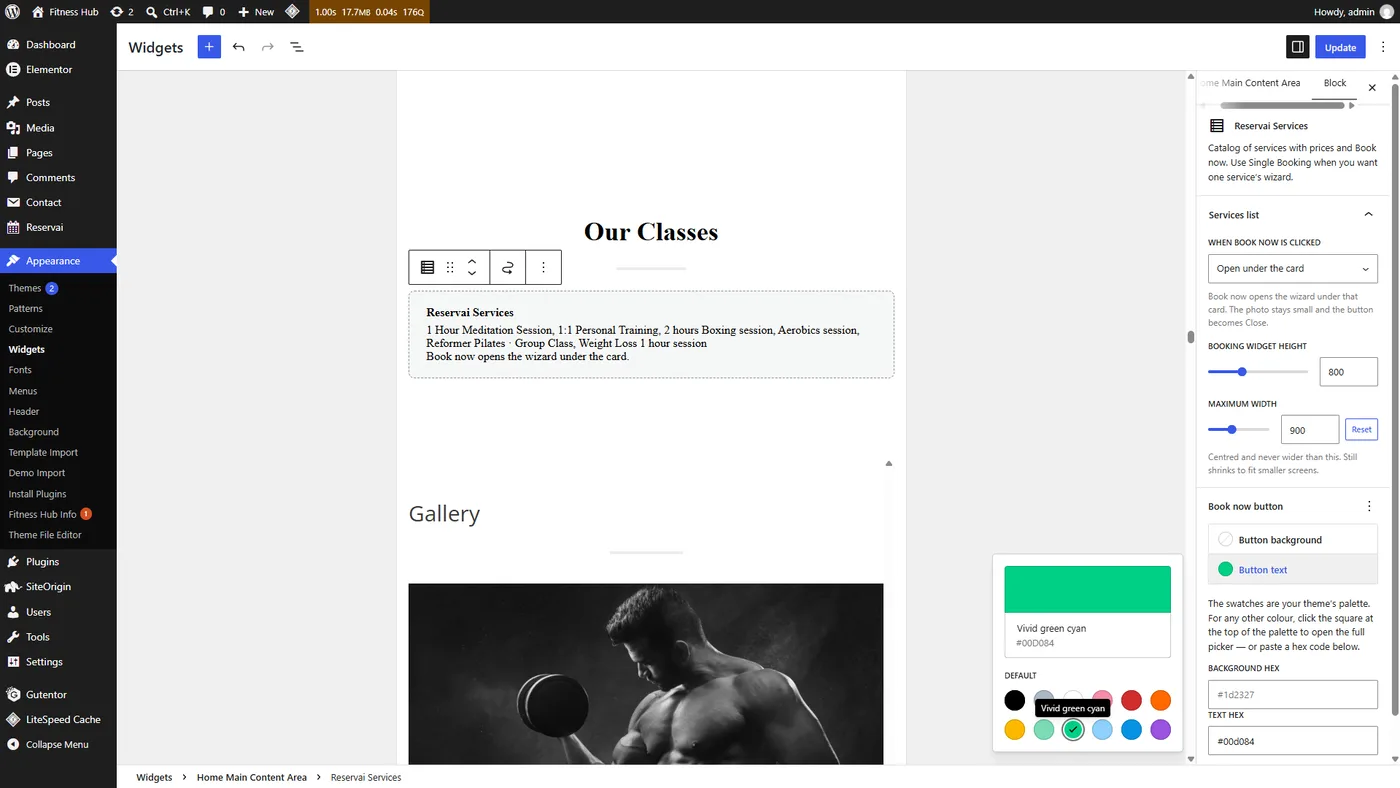
Three blocks in the editor — Reservai Single Booking, Reservai Services and Reservai Portal. Or shortcodes, which work anywhere shortcodes work: the classic editor, Elementor, Divi, page-builder text widgets.
[reservai_booking] |
Booking wizard. Add service="slug" for one service. |
[reservai_services] |
Your catalog with prices and Book now. |
[reservai_portal] |
Customer portal. view="bookings" or view="new". |
[reservai_chat] |
Force the AI chat bubble onto that page. |
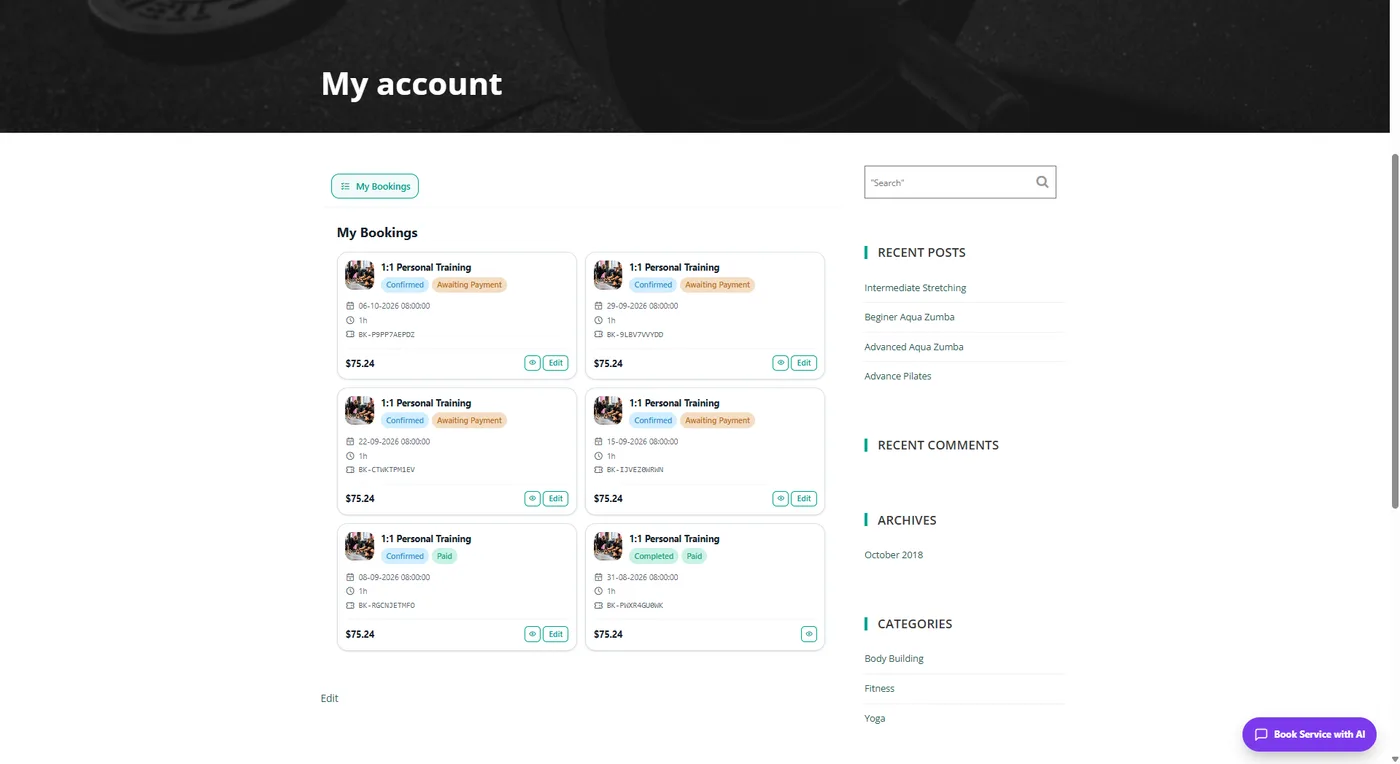
Your Customers Get Their Own Portal
On your domain, inside your theme. They see their bookings, reschedule, cancel and pay what is outstanding, without emailing you.
And Everything Behind The Booking
Point of sale
Take walk-ins against the same availability as online bookings.
Retail products
Add products onto a booking at checkout or on completion.
Staff and roles
Staff accounts with role-based permissions, per branch.
Reviews
Collect reviews after completed bookings, and reply to them.
Payouts and statements
Monthly statements, invoices and payout requests, in your currency.
Reports
Revenue, bookings, services, customers, commission and payouts.
Questions
Is the plugin really free? Is there a per-site licence?
The plugin is free and there is no licence to buy, for one site or a hundred. The Reservai Starter plan is free monthly and does not limit how many bookings you take. You pay 3% + $0.26 when a booking completes. Starter covers one location, five services and three staff; beyond that you move to a larger plan or pay a small per-item fee.
Does the AI assistant cost extra? Do I need my own OpenAI key?
The assistant is an optional paid add-on, billed monthly with an included token allowance and a metered rate beyond it. You never need an OpenAI or Gemini account and never hold an AI API key — it is managed, on the same statement as the rest of your billing.
Can customers change or cancel their own bookings?
Yes, in the AI chat and in the customer portal. Changes are checked against your availability and your cancellation policy, and any price difference is settled automatically.
Will reminders still go out if my site is quiet?
Yes. Reminders and booking lifecycle jobs run on Reservai's servers, not on wp-cron, so they never depend on someone visiting your site.
Does it work with Elementor, Divi or a classic theme?
Yes. Use the three blocks in the block editor, or the shortcodes anywhere else.
Does it sync with Google Calendar?
Not yet. Your bookings live in the Reservai calendar and resource scheduler, and staff are notified by email, SMS, WhatsApp and in-app notification. Two-way calendar sync is on the roadmap.
Where does the money go?
Into your own connected Stripe account, in your own currency. Reservai does not sit between you and the customer's card.
Put It On Your Site Today
Create a free account, publish a service, paste one key. No licence, no monthly fee, and nothing to pay until a booking completes.
Create a free account